
 English (UK)
 English (US)
 Deutsch
 Français
 Italiano
 Español
 Português
 Nederlands
 Dansk
Dansk Norsk
Norsk Svenska
 Suomi
Suomi Eesti
Eesti Latviešu
 Lietuvių
 Polski
 Čeština
 Slovenčina
 Magyar
 Slovenščina
 Hrvatski
 Srpski
 Română
 Български
 Ελληνικά
 Türkçe
 Українська
 中文
中文 हिन्दी
 Русский
Stock that fills straight from the forest
Receipts, dispatches and stock levels by species, assortment and grade. What you measure in the field shows up in stock — nothing is retyped.
From measurement to document
Stock, partners and documents work with the same data as the tally recorder.
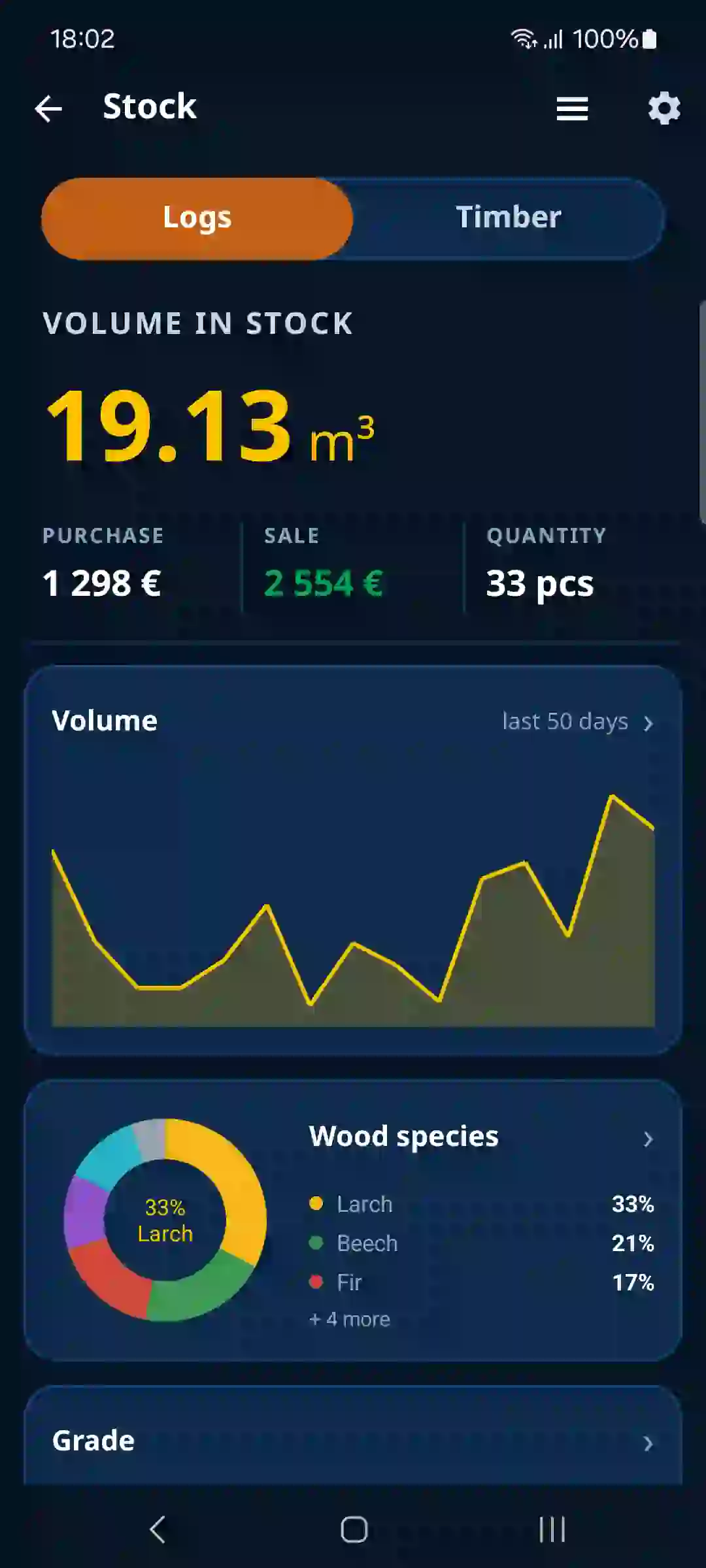
An overview of stock by species, assortment and grade at a glance.
A record from the forest goes into stock without retyping.
Sales linked to purchases — you know where timber came from and where it went.
A directory of buyers, suppliers and hauliers, synced with the web.
Delivery documents and CMR notes with your own logo and numbering series.
Stocktaking of logs in the yard and sawn timber bundles – quickly see what is really in stock.
Stock, data transfer between devices and the web account are part of the PRO subscription. Actions that change stock and documents need an internet connection, so that the data always stays consistent.
One stock on your phone and your computer
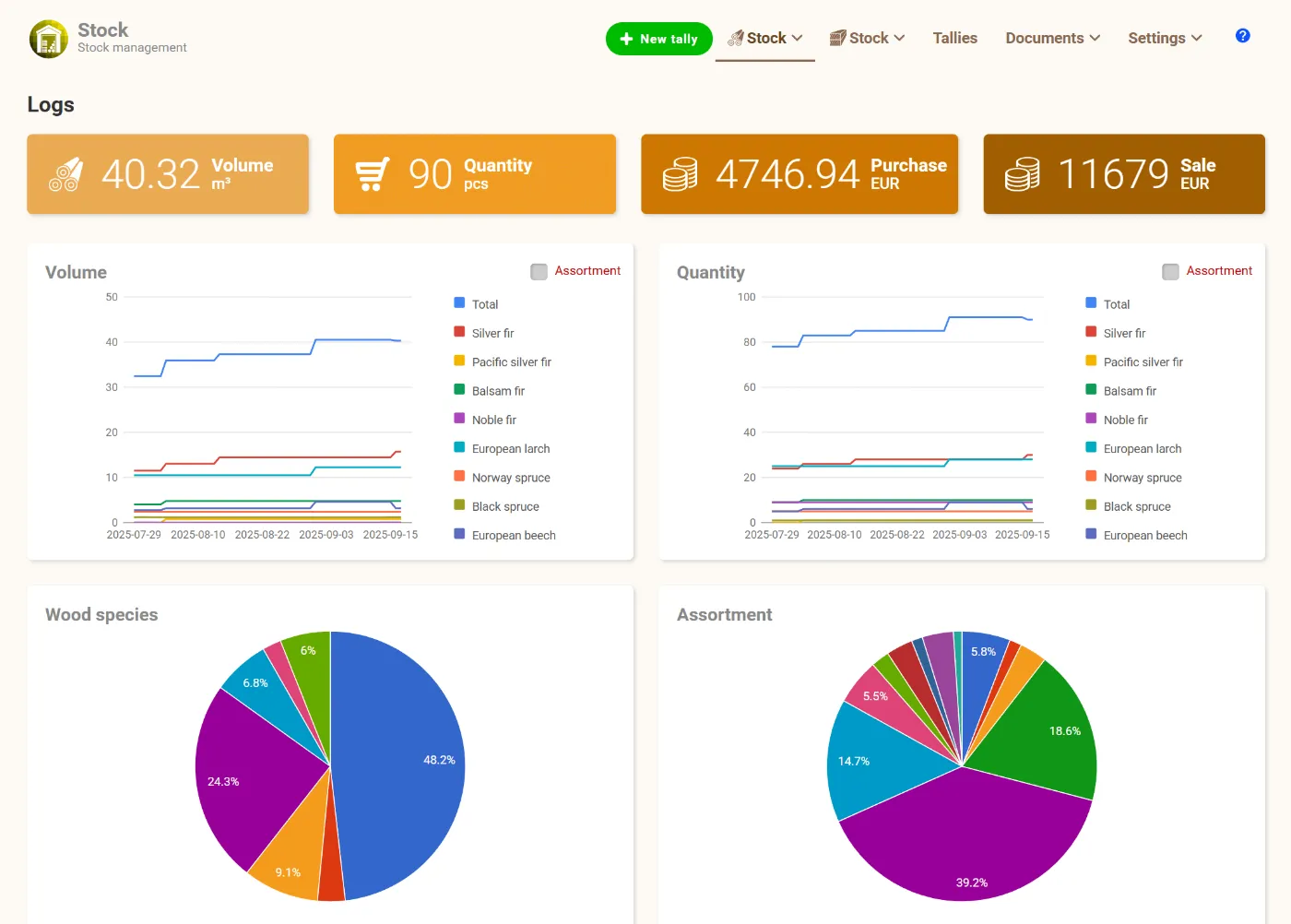
Phones in the field and the computer in the office work with the same data. What you measure in the forest or in the yard shows up on the web moments later – and settings made on the web reach the app.
Several workers can measure at once, each on their own phone. All tallies flow into one stock. The number of devices depends on your subscription.
Stock data is online – just log in from the office or from home, even from several computers at once. Nothing to install.
Set species, grades, prices and business partners once on the web. After you log in they are transferred to the app automatically.
In the field you work offline. Once you are back online, all tallies are sent to the system automatically for further processing.
Data is stored securely and backed up regularly in our database. Changing your phone does not mean losing your data.
Send edited tallies to your own stock or accounting software with one click – no retyping and no file exports.
Delivery by QR code: from the seller straight into your stock
When timber is sold, the buyer does not have to retype anything. The data from the seller's delivery note is copied into the buyer's own records.
- The seller shows the delivery's QR code in the app or on the delivery note.
- The buyer scans it and sees a preview of the delivery before accepting it.
- After confirming, the delivery is recorded as the buyer's purchase – with volume, species and log tags.
The seller's sale record stays as it is – each side keeps its own copy. If the code cannot be scanned, it can be entered by hand. Only the seller needs a subscription; receiving is free. More about delivery transfer ›
How to start with stock
- Log in on the web and set the basics: scaling method, currency and VAT.
- Choose your species, enter grades with prices and decide which data you want to record.
- Download the TIMBERPOLIS app and log in with the same account. Species, partners, grades and prices are transferred automatically.
- Create log or sawn timber tallies in the mobile recorder or directly on the web.
- Edit tallies as needed and create documents from them.
- If you have your own stock software, the tally is transferred there too.
What you record
A tally has a header and items. Besides the required fields you choose only the data you need – entering it is then fast.
Logs
- name / label
- stock (receipt / issue)
- diameter measured (under / over bark)
- supplier, customer, carrier
- yard / branch
- worker
- GPS position
- photo
- note
- species
- length
- diameter
- quantity
- grade / class / quality
- log ID / barcode
- note
Sawn timber
- bundle – name / label
- stock (receipt / issue)
- supplier, customer, carrier
- yard / branch
- worker
- edged / unedged
- moisture
- note
- species
- length, width, thickness
- quantity
- grade / class / quality
- note
More in stock management
Create documents with one click – customer and supplier details are filled in automatically. You can adapt the forms to your business.
Print tallies, send them by e-mail or export them to XLSX for further processing, analysis or archiving.
Insert many items at once from an Excel sheet – no entering piece by piece.
Stock levels, movements and volumes by species and grade in summaries and charts in one place.
Your own classes for logs and sawn timber: label, description, purchase and sale price, VAT and discount.
Log volume by Huber, Doyle, Scribner, International ¼″ and more.
Frequently asked questions
What is Stock for?
An overview of how much timber you have in stock by species, assortment and grade. Receipts and dispatches are recorded automatically from tallies.
Can several people use the stock at once?
Yes. Under one company account all phones and the web see the same stock. Stock and data transfer between devices are part of the PRO subscription.
Can I print or export the stock?
Yes. Print tallies, send them by e-mail or export them to XLSX for further processing in Excel or accounting.
How does data get from the phone to the web?
Automatically. Phones and the web share one account, so a tally from the field appears in stock management on the web once you are online. Nothing to export or send.
Do I have to install anything on my computer?
No. Stock management runs in the browser – log in with the same account as in the app, from any computer.